Last post by oblivion -
Hi, I'm posting on behalf of Antechinus. He can't remember his password for this forum and doesn't know which email account the password reset is going to. The email account may be defunct, too.
Is there anything you can do to help him for your side?
If you need something from him to be able to help, let me know.
He's trying to log in because he wants to upgrade our site to the latest version of Elkarte. We're pretty far behind the curve.
Also, fyi I tried to send Spuds or Ema a PM about this, and got a database error when I submitted it.
Last post by Xarzu -
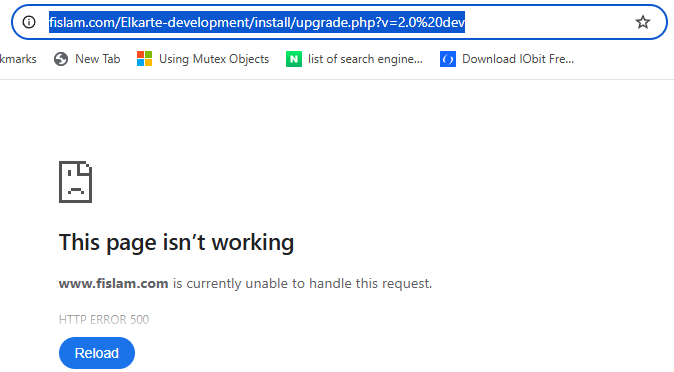
here is some information from my web hosting provider:
Quotetried all PHP versions and also had no issue with the.htaccess. also, provide this error log:
#3 {main} thrown in /home1/gelsanac/public_html/fislam.com/Elkarte-development/bootstrap.php on line 167 [23-Mar-2025 05:12:11 America/Boise] PHP Parse error: syntax error, unexpected '=>' (T_DOUBLE_ARROW) in /home1/gelsanac/public_html/fislam.com/Elkarte-development/sources/ElkArte/Server.php on line 149
Again, here is some information from my web hosting provider:
Quotetried all PHP versions and also had no issue with the.htaccess. also, provide this error log:
#3 {main} thrown in /home1/gelsanac/public_html/fislam.com/Elkarte-development/bootstrap.php on line 167 [23-Mar-2025 05:12:11 America/Boise] PHP Parse error: syntax error, unexpected '=>' (T_DOUBLE_ARROW) in /home1/gelsanac/public_html/fislam.com/Elkarte-development/sources/ElkArte/Server.php on line 149
Last post by radu81 -
It's a core function, and it's working fine, I have it enabled on my forum, you can find it in Admin -> Maintenance -> Mail -> Settings
Last post by Steeley -
Supposedly there was a bug-fix in v 1.04 about 10 years ago to make that work properly..
No idea if that capability survived through the email protocol and version updates since then.. I don't gather birthday info from my users (I don't even see where I can with my existing configuration - I may have removed that configuration option), so I can't configure emailing it.